
How to free up storage on your iPhone
Open Settings → General → iPhone Storage to see what is using the space. On most iPhones it is photos and videos, then apps and Messages. Clear the big things first, then change the settings that stop it filling up again.
1. See what is using the space
- Open Settings → General → iPhone Storage.
- Wait for the bar to fill in: it shows Photos, Apps, Messages, iOS and System Data.
- Read the recommendations under the bar. Each one says how much it would free.
2. Clear photos and videos you don't need
Duplicates, bursts, screenshots and long videos are usually the quickest wins. The guides below cover each one. Whatever you delete stays in Recently Deleted for 30 days, so the space comes back only when you empty it: in Photos, open Recently Deleted (under Utilities), tap Select, then Delete All.
3. Trim Messages
- In Settings → General → iPhone Storage → Messages, tap Review Large Attachments and delete what you don't need.
- In Settings → Apps → Messages (Settings → Messages on iOS 17), set Keep Messages to 1 Year.
4. Offload apps you rarely use
Offloading removes an app but keeps its documents and data, so it comes back as it was. Tap an app in iPhone Storage and choose Offload App, or let iOS do it: Settings → Apps → App Store → Offload Unused Apps (Settings → App Store on iOS 17).
5. Stop it filling up again
- If you use iCloud Photos, turn on Optimise iPhone Storage: Settings → [your name] → iCloud → Photos.
- Keep the camera format on High Efficiency: Settings → Apps → Camera → Formats.
- Record video in 1080p rather than 4K unless you need it: Settings → Apps → Camera → Record Video.
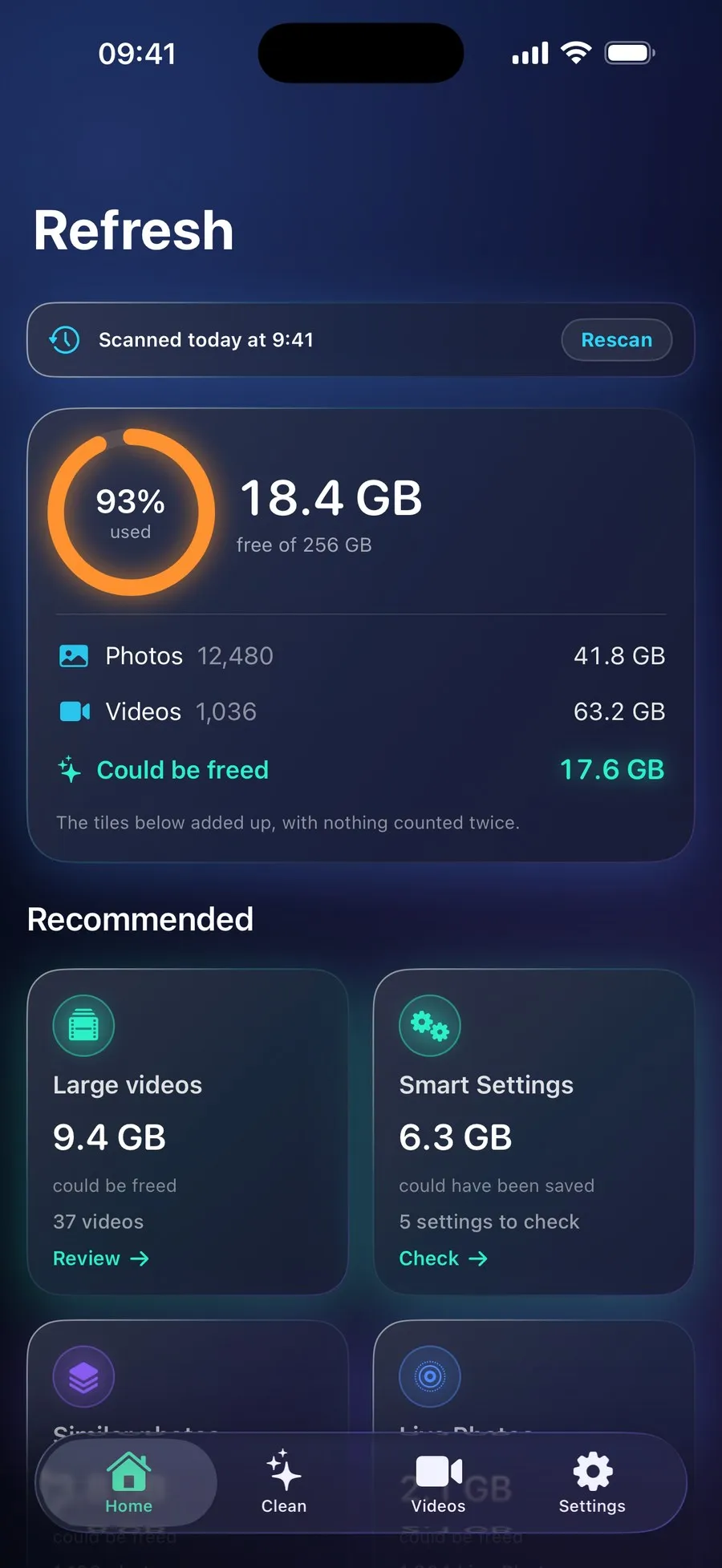
With RefreshMyPhone
RefreshMyPhone does steps 1 to 3 for your photos and videos in one scan, shows how much each clean-up would free, and removes nothing until you confirm.
Its Smart Settings show which of the settings in step 5 would have saved space on your iPhone, measured on your own library, and its Storage Guide explains the rest of iPhone Storage.


On the App Store and Google Play (as Refresh: Photo & Video Cleanup). Free to scan; €9.99 a year unlocks every clean-up. The yearly plan starts with a 7-day free trial for new subscribers: on Google Play now, and on the App Store from 16 November.