
How to find and delete duplicate photos and videos on iPhone
Since iOS 16 the Photos app gathers duplicate photos and videos in one place. Open Photos, go to Utilities and tap Duplicates, then tap Merge on each set. It finds exact copies and near-exact ones, but not edited versions or bursts of similar shots.
See your duplicate photos
- Open Photos and scroll down to Utilities. If your Photos app has a Collections tab, tap Collections first; on iOS 17, it is Albums → Utilities.
- Tap Duplicates to see every set of copies Photos has found, photos and videos together.
- If there is no Duplicates collection, Photos hasn't found any duplicates in your library.
Merge them
- In Duplicates, tap Merge beside a set, then tap Merge [number] Items to confirm. Photos keeps the highest-quality copy, combines their details, and moves the rest to Recently Deleted.
- To do them all at once, tap Select, then Select All, then Merge.
Or delete the copies yourself
- In Duplicates, or anywhere in your library, tap Select and tap the copies you want to remove.
- Tap the bin and confirm. One at a time, open the photo and tap the bin.
- Deleted photos and videos stay in Recently Deleted for 30 days. To get the space back now, open Recently Deleted under Utilities, unlock it, tap Select, choose them and tap Delete.
With iCloud Photos on, a photo you delete on your iPhone is deleted on all your devices signed in to the same Apple Account.
Duplicate videos
The same Duplicates collection lists duplicate videos as well as photos, and Merge works on them the same way. Check them first: a duplicate video usually takes far more space than a duplicate photo.
What the Duplicates collection doesn't find
- Edited copies: the same photo cropped, brightened or resized for sending.
- Bursts and shots taken seconds apart that are almost, but not quite, the same.
- Copies in the Files app, outside your photo library.
On a Mac (iPhoto)
iPhoto has been replaced by the Photos app on the Mac. If your Mac and iPhone share iCloud Photos, duplicates you merge or delete on your iPhone go from the Mac as well. For a Mac library or folders outside iCloud Photos, Caddora's Folio Refresh for Mac finds duplicates, including copies that were resized, cropped or edited (caddora.ie/folio).
Questions
How do I view duplicate photos on my iPhone?
Open the Photos app, go to Utilities and tap Duplicates. Every set of copies Photos has found is there, photos and videos together. If there is no Duplicates collection, Photos hasn't found any.
How do I delete the same photo saved twice?
Merge the set in Photos → Utilities → Duplicates, which keeps the best copy and moves the rest to Recently Deleted, or tap Select, choose the extra copy and tap the bin.
How do I delete duplicate videos on iPhone?
The Duplicates collection in Photos lists duplicate videos with the photos. Tap Merge beside a set to keep one copy.
Does merging duplicates delete photos?
It keeps one copy, the highest quality, with the details of all of them, and moves the others to Recently Deleted, where you can recover them for 30 days.
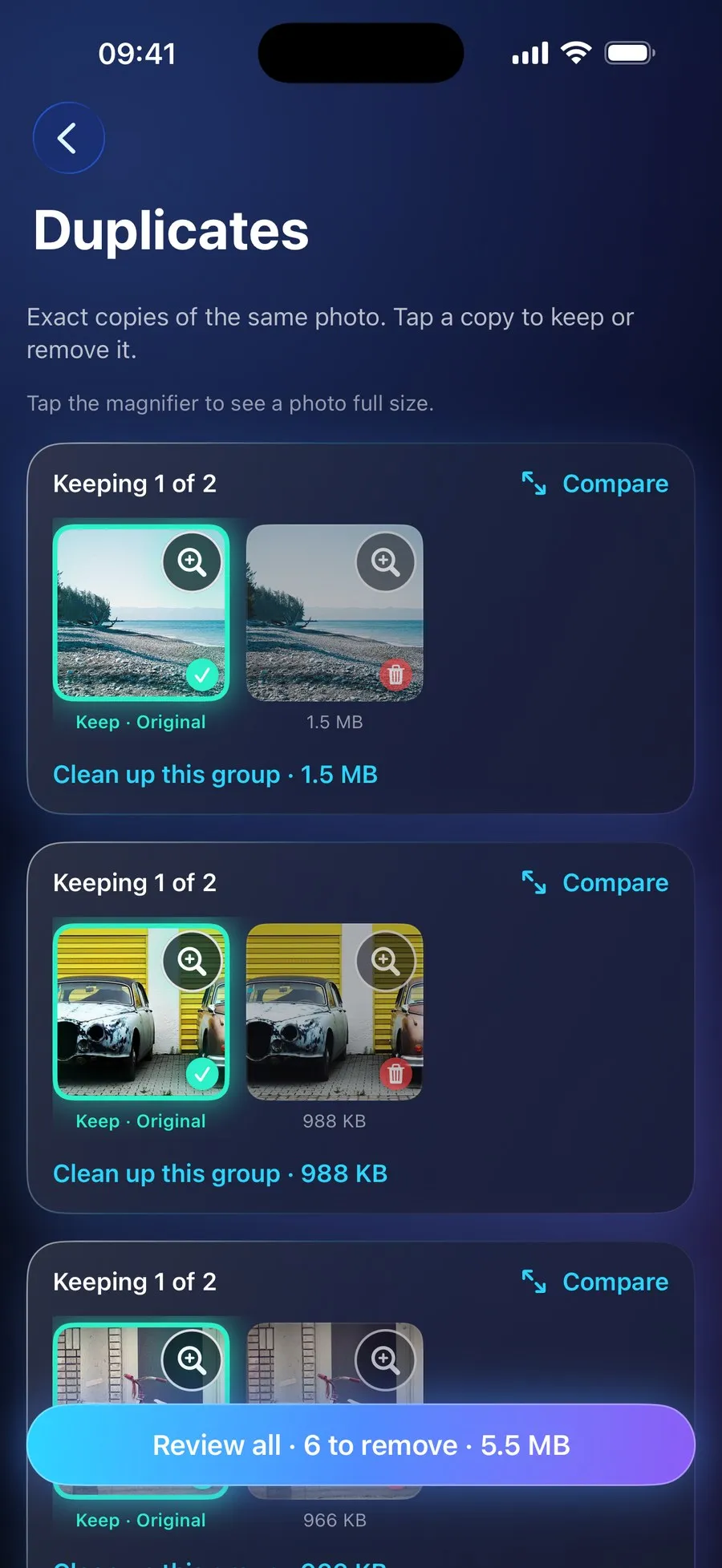
With RefreshMyPhone
RefreshMyPhone finds exact duplicates by their content, videos as well as photos, and also groups similar photos, bursts and near-identical shots, suggesting the best one in each by sharpness, exposure, faces and favourites.
You keep as many as you like from a group, compare them full screen with zoom, and nothing is removed until you confirm. It can also look for duplicate files in folders you choose in the Files app.


On the App Store and Google Play (as Refresh: Photo & Video Cleanup). Free to scan; €9.99 a year unlocks every clean-up. The yearly plan starts with a 7-day free trial for new subscribers: on Google Play now, and on the App Store from 16 November.