Features
What it does after the scan
The scan and the four safety levels are the core of RefreshYourMac. These are the parts that keep a Mac clean once you have a licence, and the ones that make it pleasant to come back to.
Schedule safe daily cleaning
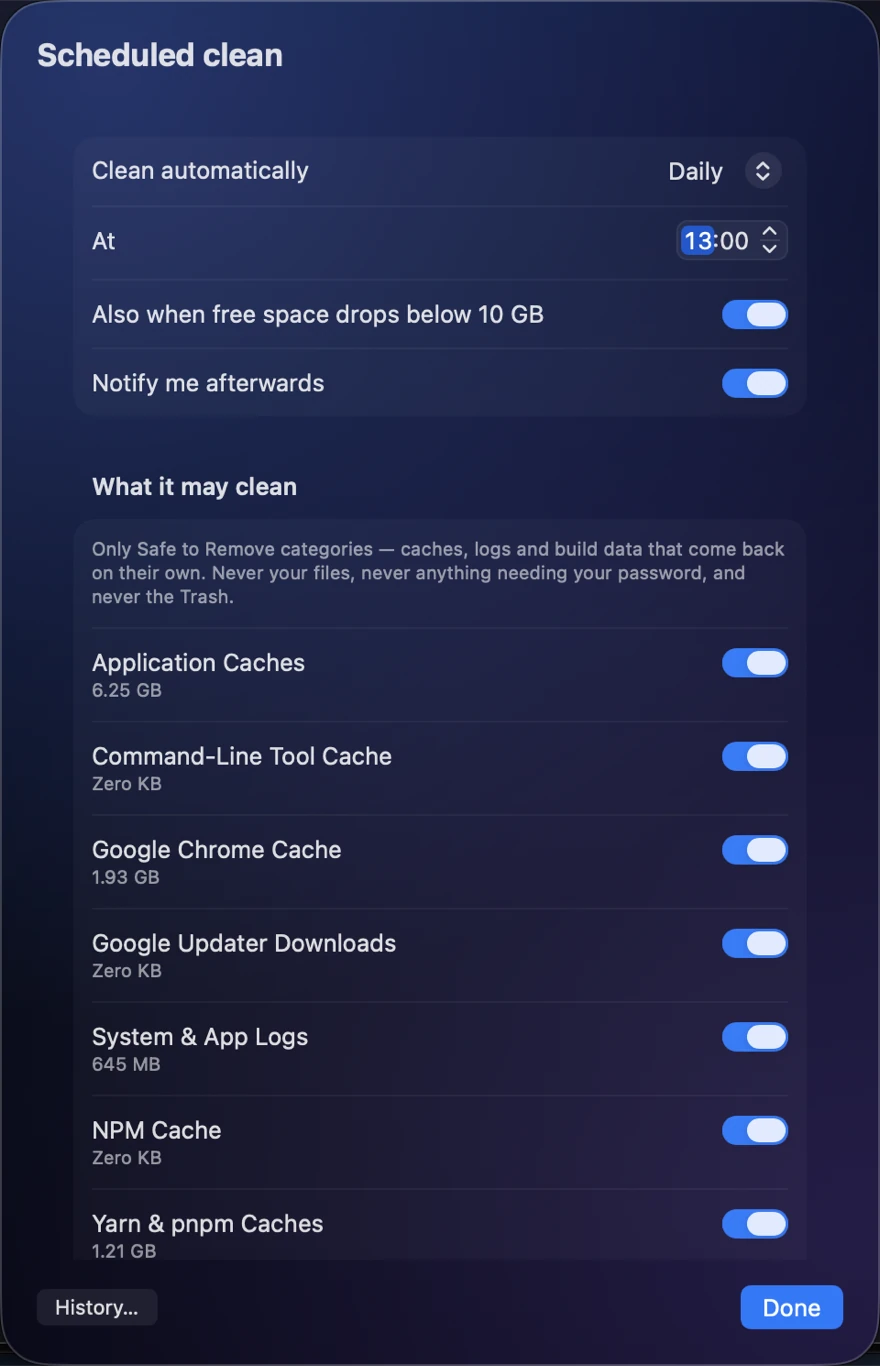
Set a time and RefreshYourMac cleans the safe categories on its own — caches, logs and build data that come back by themselves. Add a floor for free space and it will also run whenever your Mac drops below it.
- Only Safe to Remove. Never your files, never anything needing your password, and never the Trash — that is the undo for everything else.
- You choose the categories. Any of them can be dropped from the scheduled run while staying one click away by hand.
- Every run is written down. What it took and what it freed, in the history, so an automatic clean is never a thing that happened quietly.
Quickly open from the menu bar
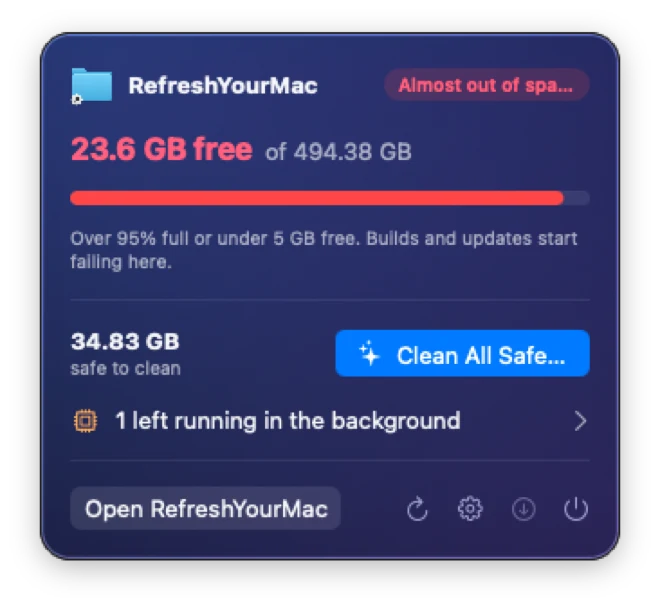
RefreshYourMac lives in the menu bar. Its icon turns orange as the disk fills and red when it is nearly gone, so you find out before a build fails rather than after.
Click it for how much is free, how much is safe to clean, anything left running in the background, and when the last automatic clean ran. Clean All Safe is right there — the window is for when you want to look at what it found.
The Dock icon appears only while that window is open, unless you ask it to stay.
Two skins
Pick the window the app wears. Both show the same measurements.
More in the app
- Maintenance jobs: seven things macOS does not surface, each measured before it runs.
- Uninstalling apps, with the files they leave in your Library.
- CPU and memory, and what is still running in the background.
- Malware protection: the security state it reads, in place of a scanner.
- For developers: Xcode, simulators, package caches and AI tools.