The app · AI scan
How to use the AI scan in Atzu Safe Data Cleaner
Switch on Claude Code, the Claude app or Codex in Settings › AI Assistants, press Ask AI next to Clean All Safe, and check what it marks in your lists. Nothing is cleaned until you press Clean.
Before you start
- A licence for the download. Listing files and cleaning need one, so Ask AI does too.
- One of: Claude Code, the Claude app, or Codex in OpenAI's ChatGPT app, installed and signed in on your Mac.
- The download from this site. The Mac App Store edition doesn't have the AI scan.
The AI scan is optional. Everything else in Atzu Safe Data Cleaner works without it. Why it finds more than the scan alone.
1. Switch on your assistant
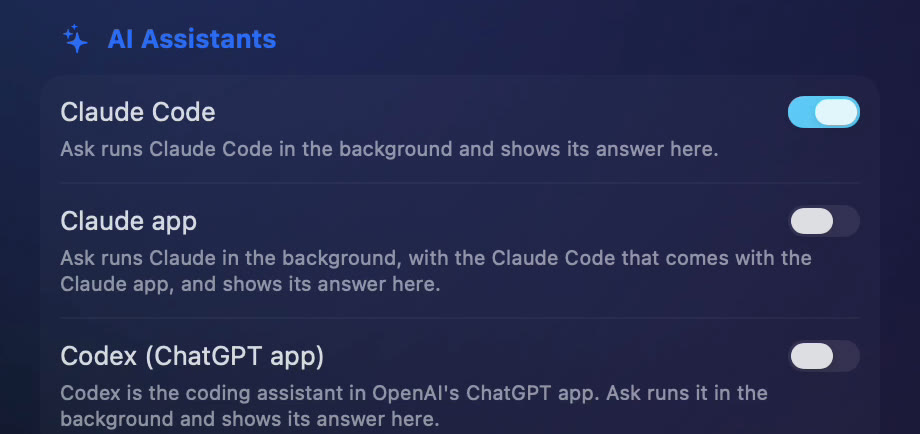
Open Atzu Safe Data Cleaner's Settings and go to AI Assistants. Turn on the one you use. Atzu Safe Data Cleaner connects itself the way each assistant's maker documents, so there's nothing to type and no config file to edit. An assistant that isn't on your Mac says "Not installed on this Mac."
- Claude Code: Ask runs it in the background and shows its answer in Atzu Safe Data Cleaner.
- The Claude app: Ask uses the Claude Code that comes with the Claude app. If you haven't opened the app's Code tab yet, Ask opens a Claude chat with the request typed in, and you send it.
- Codex: the coding assistant in the ChatGPT app. ChatGPT's own chat can't connect to an app on your Mac, which is why Codex is the ChatGPT option.
2. Press Ask AI
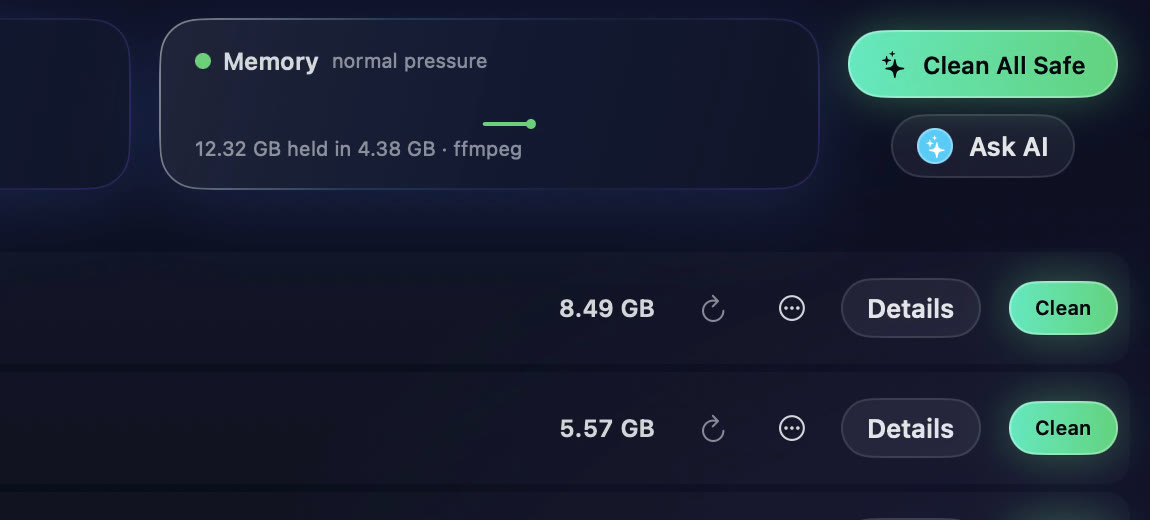
Ask AI sits under Clean All Safe. It hands your scan to the assistant, which reads it in the background while a progress pill counts down. On John Sheehy's Mac on 15 November 2026 it took about three minutes.
3. Check its picks
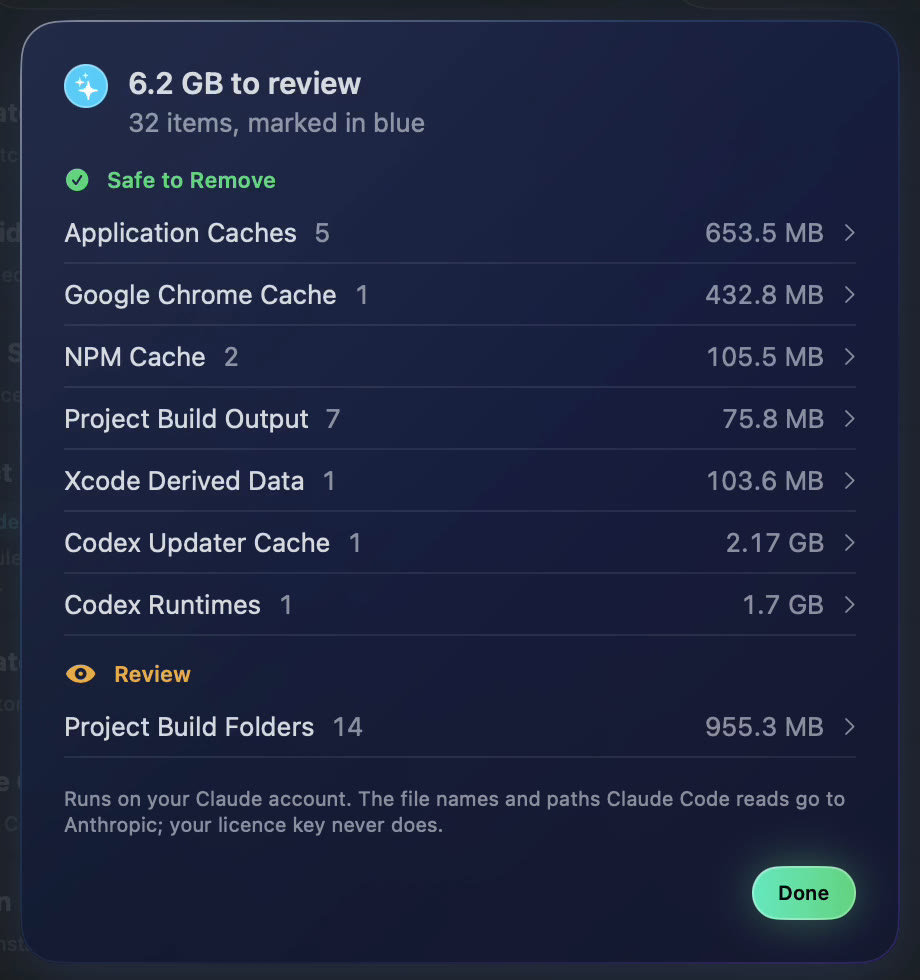
The answer says how much it found and lists its picks by level. The same picks are marked in blue in your lists, ticked, with "suggests" and a size on each category; open Details to see its reason and untick anything you want to keep.
4. Clean, or don't
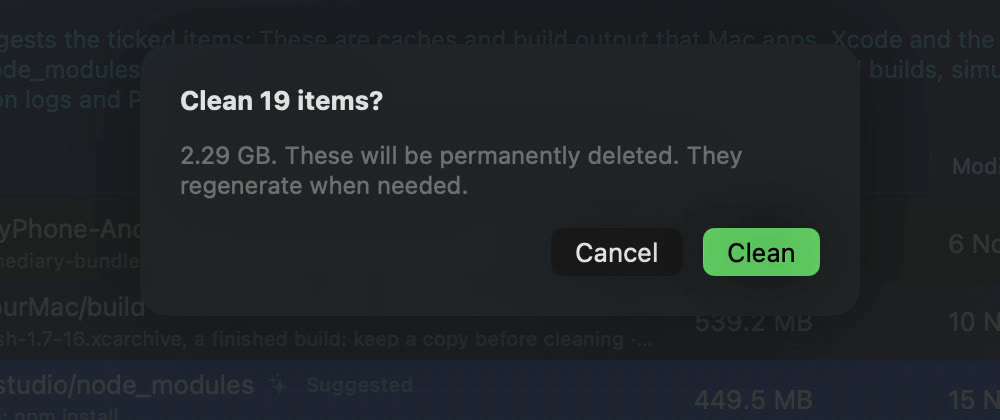
Press Clean on a category and Atzu Safe Data Cleaner's usual confirm card says how many items, how much, and what happens to them. Nothing is cleaned until you press Clean there. The assistant has no way to delete anything itself.
What it sends
The AI scan runs on your own Claude or ChatGPT account. The file names and paths the assistant reads go to Anthropic, or to OpenAI for Codex, under their terms. Your licence key never does. More on the privacy page.
Turning it off
Switch the assistant off in the same place, Settings › AI Assistants.
From Terminal instead
Developers can connect Claude Code by hand and ask it from a terminal session: Atzu Safe Data Cleaner with Claude Code.
What to do next: see these numbers for your own Mac. Download Atzu Safe Data Cleaner free, or get it on the Mac App Store.
What it costs to have an app do this
| Atzu Safe Data Cleaner | CleanMyMac | MacKeeper | |
|---|---|---|---|
| Pay once | $24.99 | €119.95 on MacPaw’s store; $89.99 for CleanMyMac X on the Mac App Store | subscription only |
| Yearly | $14.99 a year, first 7 days free | $39.99/yr on the Mac App Store; €39.95/yr on MacPaw’s store | €71.40 for the first year, 1 Mac. Their page shows it against a €119.40 list price |
| Monthly | $1.99 a month | $9.99/mo | €10.95/mo |
| Account needed | No | Yes | Yes |
Both versions' yearly plans start with 7 days free. CleanMyMac and MacKeeper prices read from their own pages and the Mac App Store on 27 October 2026; the full comparison is at Atzu Safe Data Cleaner vs CleanMyMac and MacKeeper.