Free up space · AI
Can an AI clean up your Mac safely?
Yes, if the AI can't delete anything itself. Atzu Storage finds what's safe to delete and rates every item. Its optional AI scan lets Claude or Codex read the items marked Review and mark the ones you can clear too. Nothing goes until you press Clean.
Why an AI shouldn't delete files on its own
An assistant such as Claude Code can already run commands on your Mac, including ones that delete files. What it doesn't have is the rating of what each folder costs to lose: whether it regenerates by itself, needs a rebuild or a download, or is something you made. So Atzu Storage gives an assistant that rating and a way to suggest, and keeps the delete for you.
Start with the scan: what's safe to delete
Atzu Storage measures every category it knows on your Mac and puts each one on one of four levels:
- Safe for auto removal. Regenerates on its own. Nothing of value is lost. For example: Application Caches, Xcode Derived Data, NPM Cache.
- Review before deleting. Costs a rebuild, a re-download or an app restart. Worth a look before you clean it. For example: Simulator Runtimes, Duplicate Files, Duplicate Pictures.
- Backup recommended. Your data. Move it to another drive, or pick items one at a time. For example: iOS Backups, Xcode Archives, Codex Sessions & Plugins.
- Protected. Cannot be deleted here. It shows you what to do instead. For example: Photos Library, Application Support, macOS Temp Data.
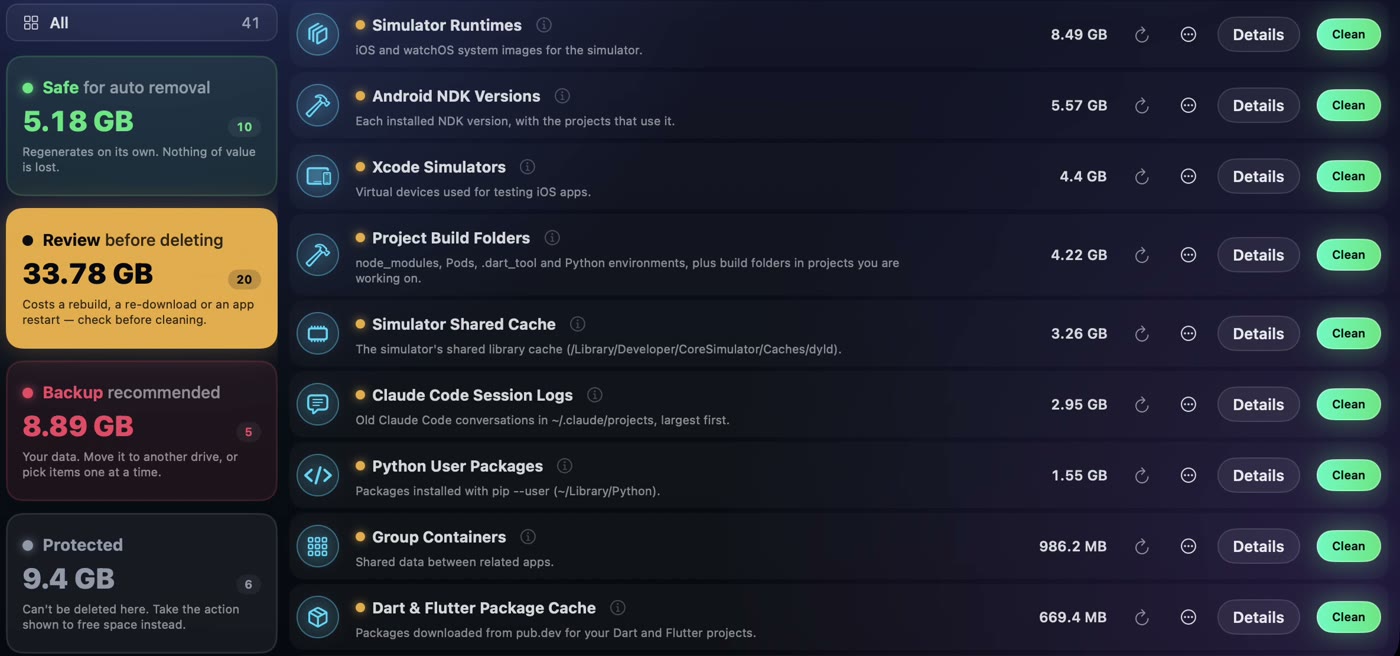
Clean All Safe clears the first level in one press: those items regenerate on their own. The rest waits for you. Review is usually the biggest pile, and the slowest to check, because each item costs something to lose.
Then the AI scan finds more
The AI scan is optional. Switch on Claude Code, the Claude app or Codex in Atzu Storage's Settings and press Ask AI. Atzu Storage hands it the scan and asks it to look at the biggest Safe to Remove and Review categories, read the note on each item, and suggest what is safe to clean, leaving out anything in use or holding a finished build.
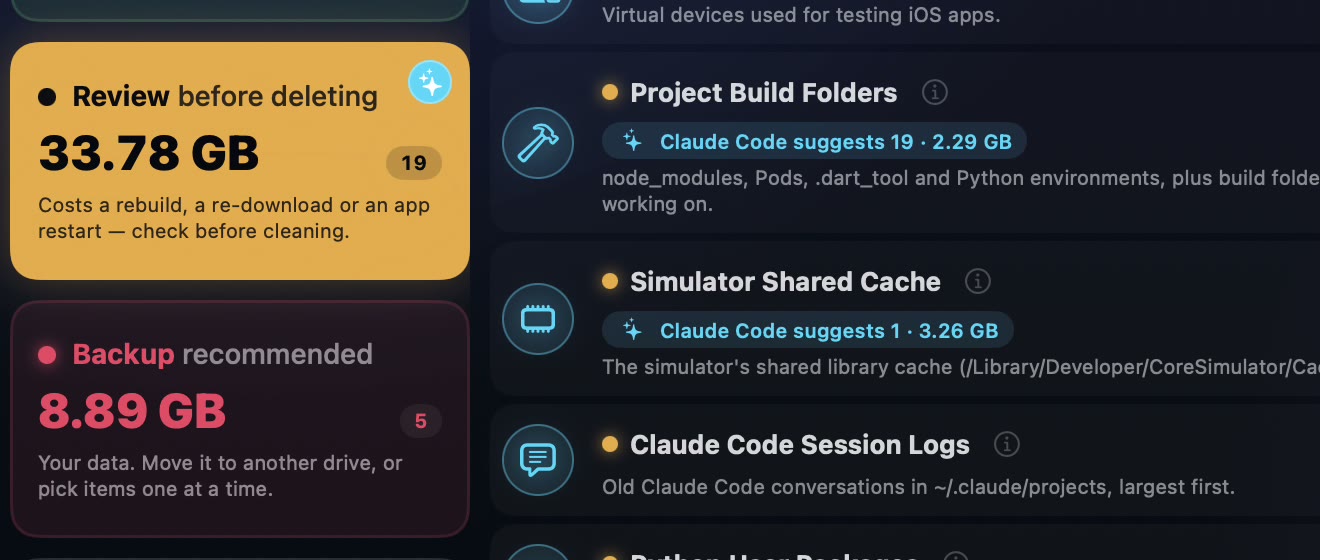
Its picks are marked in your lists, ticked, with its reason in each category's Details. You check them like anything else, and clean with the same Clean button. How to use the AI scan, step by step.
What the AI can and can't do
- It can read the storage report and each category's items, and mark items for you to check.
- It can't delete, move or change a file, and it can't clean anything outside Atzu Storage's own scan.
- It never sees your licence key.
What it sends, and to whom
The AI scan runs on your own Claude or ChatGPT account. The file names and paths the assistant reads go to Anthropic, or to OpenAI for Codex, under their terms. The privacy page has the details.
What you need
- A licence for the download: listing files and cleaning need one.
- Claude Code, the Claude app, or Codex in the ChatGPT app, installed on your Mac.
- The download from this site. The Mac App Store edition runs in Apple's sandbox, sees only part of the disk, and doesn't have the AI scan.
Developers who live in Terminal can connect Claude Code by hand instead: Atzu Storage with Claude Code.
What to do next: see these numbers for your own Mac. Download Atzu Storage free, or get it on the Mac App Store.
What it costs to have an app do this
| Atzu Storage | CleanMyMac | MacKeeper | |
|---|---|---|---|
| Pay once | $24.99 | €119.95 on MacPaw’s store; $89.99 for CleanMyMac X on the Mac App Store | subscription only |
| Yearly | $14.99 a year, first 7 days free | $39.99/yr on the Mac App Store; €39.95/yr on MacPaw’s store | €71.40 for the first year, 1 Mac. Their page shows it against a €119.40 list price |
| Monthly | $1.99 a month | $9.99/mo | €10.95/mo |
| Account needed | No | Yes | Yes |
Both versions' yearly plans start with 7 days free. CleanMyMac and MacKeeper prices read from their own pages and the Mac App Store on 27 October 2026; the full comparison is at Atzu Storage vs CleanMyMac and MacKeeper.